Moneyworks Accounting Software Economically Workable and Flexible Accounting Solution Software
What is MoneyWorks?
MoneyWorks is a set of financial management applications suitable for organizations of any size. MoneyWorks is fully maintained, updated frequently, and adaptable enough to operate with your present workflow and other business applications.
More than 40,000 businesses utilize a MoneyWorks accounting solution worldwide.
MoneyWorks is designed from the bottom up to meet the requirements of accountants, bankers, and other financial experts. It doesn’t have unnecessary “features” for larger organizations like human resources and customer relationship management (HR and CRM), which can add unnecessary expense, complexity, and the need for an IT consultancy to set up.
Although MoneyWorks isn’t as well-known as some other company accounting software options, it gets the job done and saves money.
For what reasons can MoneyWorks Accounting Software be the best option for your company?
- Making A Decision On Business Data Software
Data processing system that is simple to learn and use but robust enough to handle your expanding company’s needs. Even though such claims are commonplace among software developers, users often report very different experiences. Concrete evidence (and client testimonials) support these assertions with MoneyWorks. Ok, but what else should we be on the lookout for?
- Flexibility
It would help if you never tried to force your business procedures into your accounting software. MoneyWorks was built with adaptability and compatibility in mind. The key is organizing your accounts in a way that makes sense for your organization. If the extensive array of pre-built reports and robust summary tools aren’t enough, you can always use the MoneyWorks Gold report writer to tailor a report to your specific needs.
- Performance
There is a lot of accounting software out there that is quite sluggish and has very limited storage space, so this is an essential factor to consider. There has to be software that won’t lag.
The processing time in MoneyWorks is really short. The improvements in speed and productivity have been astounding in our tests.
- Integrity
When using certain programs, you can modify information that should be irreversible, all without leaving a paper trail. If you ask any competent accountant, they will tell you this is asking for trouble. MoneyWorks prevents unauthorized access to your information and provides verifiable logs of all transactions. There is no better accounting software than this one.
- Lessen the overall price tag
Suppose you don’t acquire a system altogether. In that case, the recurring rental cost will quickly eclipse the cost of keeping the software up-to-date, training employees on how to use it, and avoiding lost time due to an inefficient system. What’s more, if you run into the limits of an underpowered system, you may have to replace software, which adds even more expense. Therefore, make a well-informed decision and consider factors other than the listed price.
MoneyWorks was created to be economically workable. It is accomplished using the following:
- No restrictions on the number of companies you can have — many other systems will charge you more or not allow you to create additional company files.
- Full records allow employees to train themselves.
- Avoiding integration between accounting and payroll means you won’t have to worry about paying for an expensive upgrade every time payroll regulations change. That way, you won’t get stuck paying yearly for an unnecessary premium upgrade.
- An identical product line that is interchangeable. If you go up, you won’t have to spend much money on training again.
- This product works on several platforms, so you won’t have to buy it again if you decide to switch.
- User-friendly UI; facilitates the swift completion of tasks.
- Software that is both quick and efficient means that employees waste no time.
- Beneficial returns on your expenditures
When you buy software, you’re essentially investing in it. You are also devoting a considerable amount of your time (which will dwarf the software cost). It would help if you thought about how you can profit from this.
- Better insights into your firm can be gleaned with the help of MoneyWorks.
- You can make smarter choices for your business if you have more accurate information.
- Business success will increase as a direct result of better decision-making.
- Join forces with your bookkeeper
Your company’s BI tools are meant to help you run your business. A competent accountant will understand the significance of providing accurate financial data. We’ll provide your accountant a free copy of MoneyWorks so they can view your finances and provide advice on how to run your business and comply with regulations.
Which functions does MoneyWorks Accounting Software provide?
Many cloud services and popular desktop programs, including Microsoft Office and Filemaker, are compatible with the desktop software. The MoneyWorks secure cloud, a user’s device, or an internal business network are all feasible storage options for user data, depending on the package purchased.
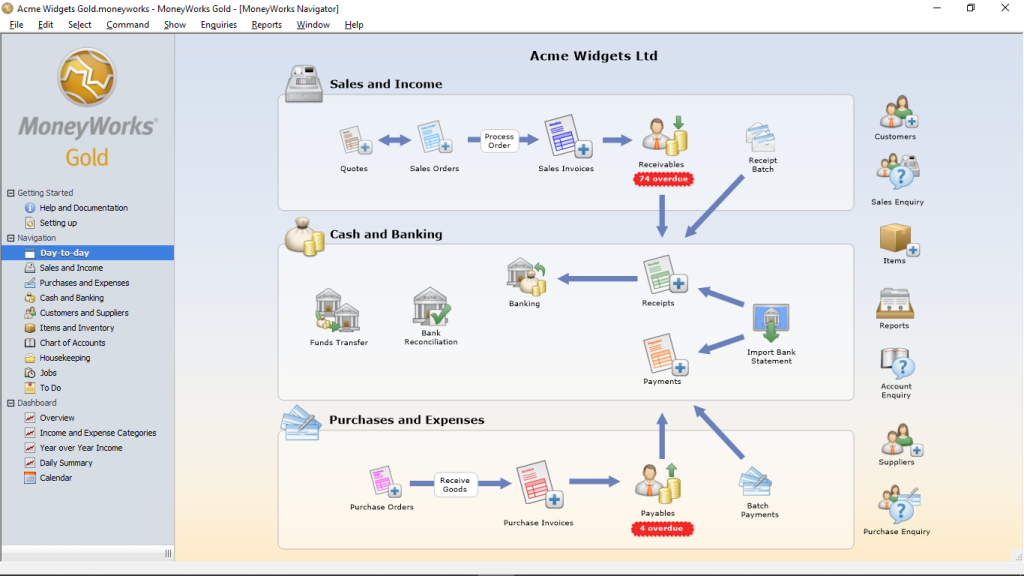
Among the features that are standard in all MoneyWorks accounting solutions are:
- Payment and receipt tracking ledger that can use an infinite number of bank and credit card accounts and features like recurring transactions, cheque printing, and electronic direct payment file creation (for banks that allow such features).
- An accounting system that is all in one, allowing for detailed transaction-level analysis and report generation
- Data drill down, data subset, summary reports, and other report kinds and output formats are available. Some available reports are sales commissions, back orders, buy and sales records, repeating transactions, and financial planning. About 70 report variations are available in Cashbook and Express, and 105 in Gold, Datacenter, and Cloud.
- Informative dashboard providing a quick snapshot of important metrics and trends over the past five years, with the option to dive down for more detail.
- Most nations endorse goods and services taxes (GST/VAT/sales tax)
- Accounts are limitless with most plans.
- Using the Accounts Export function, you may create and send out duplicate copies of your MoneyWorks files in formats compatible with a wide range of accounting software. A data center provides online access for faraway users, like your accountant, so that they may view data in real-time.
- User tags and audit logs are both included for your peace of mind.
- Record sticky notes appear anytime the corresponding record is accessed.
- Modify the forms used to enter information
- Compatibility with other data sources, including spreadsheets and text files; budgeting features; budget vs. performance comparisons
- Automate your repeating financial dealings
- Send mass emails, analyze contacts, and establish follow-up reminders
- You can manage your finances on the go with MoneyWorks Mobile. Cognito’s app is assessable with the MoneyWorks Datacentre for your iOS-based iPhone, iPad, or iPod touch and tracks your outlays immediately. After an expenditure report is submitted, it will automatically update in MoneyWorks. No data preloading or time-consuming data syncing is required.
- MoneyWorks accounting software keeps track of how many items you have in stock and how much those goods are worth. Importantly, the basic accounting for inventoried products is different: while they are in stock, they are typically recognized as assets, and only when sold will they be expensed.
- Location tracking is useful if you store inventory in numerous places (such as different stores, warehouses, or even consignment goods).
- Some stock inventory, such as laptops or phones, may be identifiable by serial numbers. In contrast, others, such as medications (preferably the good kind) or carpets, may have batch numbers and expiration dates.
In what ways does MoneyWorks support?
MoneyWorks Accounting Software is debatably the most flexible pricing structure of any popular Singapore accounting program, with options ranging from completely free to over $3,295.00. Most can be purchased once or regularly.
- The Cashbook by MoneyWorks (free subscription)
MoneyWorks Cashbook is an easy-to-use accounting solution for small enterprises, clubs, organizations, and nonprofits, with all the essentials included (albeit certain functions are disabled).
- Professionally-prepared summaries of cash inflows and outflows
- Verification of GST
- General ledger containing more than seven years of recorded financial transactions
- Balance sheet reconciliatory
- The Bank Statement Importer
- Any MoneyWorks form, invoice, or statement may be emailed or exported as a PDF report.
- MoneyWorks Express ($495.00 one-time, $27.50 subscription)
In addition to the standard set of capabilities, this gives you access to a broader range of customization options and advanced tools.
- MoneyWorks is a great place to safely and efficiently store your original papers.
- Cash flow: Receivables & Payables
- Moneyworks Gold ($985.00 one-time, $42.50 subscription)
Our most popular desktop product. Cost centre accounting, multi currency, job costing, inventory management and more, all in one place.
- Departmental accounting
- Multicurrency
- Enhanced Item/products
- Inventory and bills of material
- Job costing and time billing
- Fixed Assets
- Advanced security
- Scripting
- Enhanced integration
- MoneyWorks Datacentre
In addition to Gold’s features, Datacentre adds a private server for your accounting requirements, increasing accessibility without compromising security. Datacentre comes in two different flavors:
- Only available via monthly subscription; $82.50 per month for the initial subscriber; additional users at $27.50 per month each
- Costs for a Multi-Company License are as follows: $3,295.00 one-time fee (for up to 3 users), or $75.90 yearly for one user + $24.20 annually for each additional user who requires access at the same time.
In addition to the capabilities stated for the other MoneyWorks products, these two also contain the following:
- In theory, up to 99 people can use it at once.
- improved connectivity
- Facilitated administration via a unified command structure
- Real-time availability through any web-enabled device
- Provided via the Cloud (Private Cloud)
- Improved safety thanks to the individual folder and file-level password protection, Secure Sockets Layer (SSL) encryption, audit logs detailing data entry activity, automated daily backups, and monthly archives.
Final Words
If you’re on a tight budget and haven’t given much thought to investing in accounting software, give MoneyWorks Cashbook a shot. As your company (and, one hopes, one’s financial resources) expand, you may always update at a later date. High-end customers of MoneyWorks may take advantage of a specialized solution that doesn’t need an outsourcing software development to a third party thanks to the company’s products’ adaptability to custom coding, which can be done in-house by the company’s IT department.
Every company has unique requirements and goals, so it’s important to search for accounting software with an open mind.