Xero Accounting Software - World of Extras for SMEs
Every business needs to know how much money it has coming in and going out. Most small businesses that get into trouble do so because they lose control of their cash flow. Most of the time, it’s not because they failed. It’s because they didn’t keep track of their money
What is Xero?
In the past, most accounting was done with pen and paper. It usually required an accountant who knew how to use a calculator and a lot of blank sheets of paper. It was about hand-making a business’s books by reading invoice sheets, bills, and other financial documents. Thanks to the internet and digital improvements, services are much better than they used to be.
One of the most popular accounting software platforms for businesses today is Xero. It gives its software to small and medium-sized businesses as a software-as-a-service (SaaS) model, meaning you need a subscription. The price is usually based on how many employees will use it, what services the company needs, and how long the subscription will last.
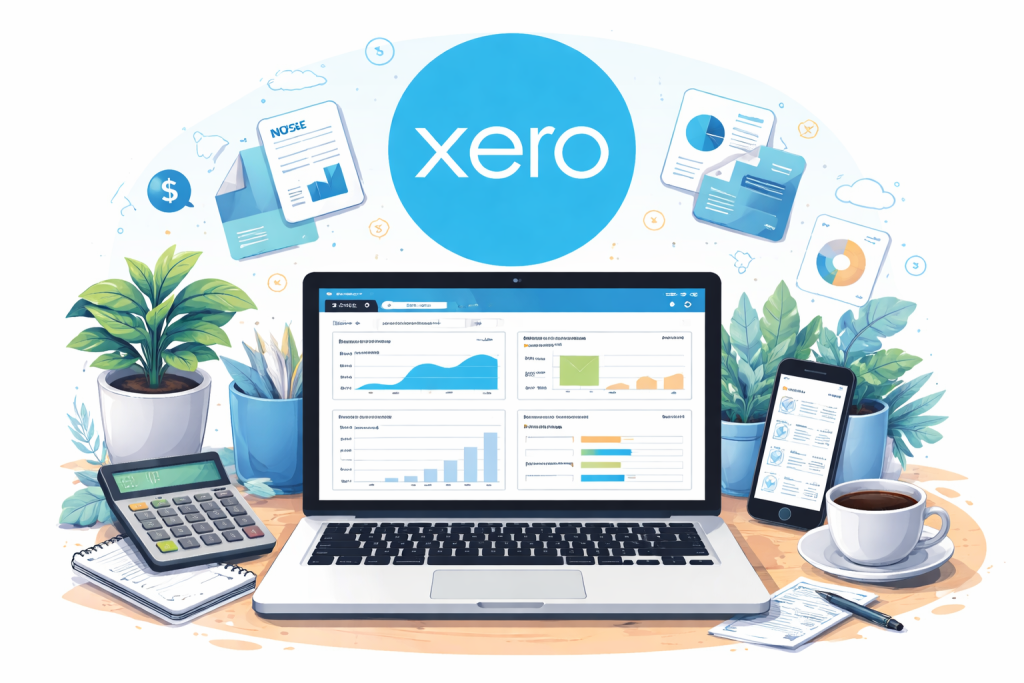
Accounting features of Xero
- managing cash flow
- reconciling bank accounts
- financial reporting
- processing payments
- payroll
What are the benefits Of Xero?
- Countless Users
Xero accounting software lets you add unlimited users to your account at each subscription level. It is an important part of accounting software; usually, lower-tier plans only allow a certain number of users, while higher-tier plans allow as many users as they want.
You can also give each user a different level of access. For instance, you can let all employees send quotes and invoices, let some employees pay bills, and limit who can see the full financial picture of the company. It keeps track of everything users do and puts together a history of every transaction.
- Reports and dashboards that can be changed
At every subscription level, Xero helps you turn the data you enter into information you can use. A dashboard gives you an overview of your business’s financial health, including how much money is coming in and going out, outstanding invoices, and past-due bills. On another page about short-term cash flow, you can see how upcoming bills and invoices affect your bank balance over the next week.
Reports can also be changed to fit your needs. Formatting can be changed, and you can add your formulas and groupings. For example, you can drag and drop certain expense categories into a single subgroup. For example, an “office expenses” subgroup could include office equipment, supplies, and utilities. You can also rearrange the panels and hide the ones that aren’t useful if you don’t like how the dashboard looks.
What are the drawbacks of Xero?
- No phone support
On its customer service page, It doesn’t list a phone number. It is a big problem if you want to talk through a problem over the phone or if you are new to accounting software and have many questions.
Instead, the company offers online support 24 hours a day, 7 days a week, and will call customers if they need it.
Accounts payable and accounts receivable are just two of the business finance tasks that Xero can do. It has its mobile app called Xero Touch and uses real-time data so that you can keep track of your accounts in the most up-to-date way.
How can Xero help your business?
Xero accounting software help in different ways to grow and manage in easy ways. Let’s see how;
- Intelligent Banking
All your bank, credit card, and PayPal transactions are automatically imported into Xero, so you don’t have to enter information manually.
Once the information is in Xero, the bank reconciliation feature automatically matches your transactions, so all you have to do is double-check and click OK.
- Beautiful Invoicing
Xero lets you make and send beautiful invoices. The layout can be changed in any way you want so that you can create professional invoices you can be proud of.
It’s easy to send invoices to your customers by email; they can pay online if they want to. It helps you get paid faster. Xero will even let you know when your invoice has been opened, so you can’t say you lost it.
You can automate repeating invoices, so you don’t have to send them out by hand each time.
- Get a handle on your bills
Xero makes it easy to see what you owe and when to pay it. You can plan and schedule payments ahead of time to keep track of your cash flow.
Adding a bill to Xero is easy, and you can pay several bills at once through online banking, so you don’t have to pay each one separately.
You can set up recurring bills so that your bank account doesn’t get any surprises in the future.
- Financial Reports with One Click
You can use your real-time business data to make reports and budgets with just one click. You can interact with reports and get more information about the source transactions.
Xero automatically calculates your GST return, so you don’t have to do any hard work. There are more than 40 reports, such as the profit and loss statement, the balance sheet, and many others.
- You can work anywhere
You can use Xero from anywhere, anytime, as long as your PC, laptop, Mac, or tablet can connect to the internet. You don’t have to install or update anything, and Xero backs up everything for you automatically.
Even better, you can use your phone to access Xero. You can run your business from your pocket with the Xero accounting app.
- Xero is a world of extras
Other companies can make software that works with Xero by working with its developers. Everything talks to each other, so you don’t have to do the same work twice.
There are add-ons for everything, from payroll to stock control to the point of sale. New add-ons are made all the time, which gives your business more options.
Accountants and bookkeepers can work with Xero to improve their workflows and their ability to work together.
- Always pay your bills on time
Track bills and pay them on time. And get a clear picture of the money coming in and going out.
- Manage expenses effortlessly
With Xero’s expense management tools, you can track costs, submit and get reimbursed for expense claims, and see where your money is going.
- Link your bank account to Xero
Set up bank feeds and link your bank to Xero. Every business day, transactions go straight into Xero safely.
- It’s easy to take online payments
If you connect to Stripe, GoCardless, and others, you can accept payments online and get paid up to twice as fast.
Xero lets you keep track of projects and jobs. You can quote, bill, and get paid for jobs. Plus, you can keep track of costs and profits with software that tracks projects and jobs.
What kind of help is available in Xero?
Xero has full support features, such as
- video tutorials,
- frequently asked questions (FAQs),
- and online customer service
- But it doesn’t have a chat function or phone support for questions.
Which plans does Xero offer?
There may be discounts for promotions. New users can sign up for a free 30-day trial of Xero to try out its features. Gusto payroll can be added to any plan for an extra $40 per month plus $6 per person. Even for freelancers and people who own their businesses, that can be limiting. You’ll need to switch to the Growing plan to send unlimited invoices and pay total bills.
There are 3 different price levels, and users can choose from the following based on their needs:
- Early Plan
In the Early plan, the least expensive subscription, you can send up to 20 invoices and schedule up to five bill payments.
- Send up to 20 quotes and bills
- You can enter up to 5 bills
- With Hubdoc, you can get bills and receipts automatically
- Set up online bank feeds and balance your bank transactions
How to keep track of your stock?
- By reporting
- By sending orders to buy
- Growing Plan
All of the Early plan’s features, plus:
- There are no limits on invoices, quotes, or bill entries
- Ability to reconcile a lot of transactions at once
- Established Plan
All of the features in Growing, plus:
- Uses several different currencies
- Some tools for keeping track of projects let you log time and break down job costs
- Claim expenses
There are tools for advanced analytics that can predict cash flow up to 90 days in the future
Final Thoughts
In a world where most small businesses fail in the first three years, these features will give you an edge over the competition. Overall, Xero is a flexible accounting program that is easy to use and can grow with your business. By giving your accountant access to your business accounts through Xero, you can speed up the time it takes to prepare reports and tax forms.